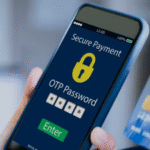


In today’s digital world, Smartphones and Computers are more exposed to cyber threats than ever before. A single wrong click or an unsafe app can infect your device with a virus, steal your data and even Drain your bank account without OTP. Understanding how viruses work and how to stay safe is the best defense.
What Is a Virus in Digital Devices?
A virus is a malicious software (Malware) that secretly enters your device through apps, websites, links or files. Once installed, it can:
- Steal personal data
- Track keyboards and passwords
- Control your phone remotely
- Transfer money
- Damage system files
- Spy on your camera/mic
Types of Viruses & How They Attack You
1) Ransomware
- Locks your Phone – Computer
- Asks for payment to unlock
- Can encrypt Photos, Documents, Contacts
Mostly spreads through fake emails, movie – software downloads and cracked apps.
2) Spyware
- Hides silently in your device
- Steals Passwords, Banking OTP, Contacts, Photos
- Sends data to hackers
Mostly spreads through unknown Apps, Fake games, Free VPNs, Loan apps.
3) Trojan
- Looks like a normal app or file
- Works secretly to hack device
- Often used to transfer money
Comes in WhatsApp links, Trading apps, Mod games.
4) Adware
- Shows unwanted ads
- Tracks browsing habits
- Slow down device battery
Found in free movies – music download apps, mod games, free fire and PUBG hacks.
5) Worms
- Spread rapidly without user action
- Can crash your device system
- Infects multiple devices in same network
Comes from infected USBs, Wi-Fi sharing, pirated software.
6) Keyloggers
- Records everything you type
- Steals passwords, UPI PIN, bank login
Found in phishing emails, fake job apps, and unknown keyboard apps.
7) Cam – Mic Spy Malware
- Turns on your camera or microphone secretly
- Records and sends private data to hackers
Common in photo filters, unknown editing apps, beauty camera apps.
How To Protect Your Privacy & Stay Safe
✔ Must Follow Safety Tips
- Use apps only from Play Store / App Store
- Enable 2 Factor authentication for Email & Banking
- Use Strong passwords & Avoid easy names – Dates
- Enable Screen lock and SIM lock
- Update phone system regularly
- Disable Install from Unknown Sources
- Review app permissions (Why would a flashlight need access to contacts?)
Never Do These
- Don’t download APK apps shared on WhatsApp – Telegram
- Don’t click unknown links claiming KYC, Government subsidy, Refund, Prize
- Don’t share phone screen with strangers (Fraud apps like AnyDesk)
- Don’t install VPNs or Loan apps from unknown developers
- Don’t use Free hacked games, Mod apps, Free recharge sites
Warning Signs Your Device is Hacked
🔻 Sudden battery drain
🔻 Unwanted ads or pop-ups
🔻 Phone becomes slow without reason
🔻 Unknown apps installed
🔻 Auto SMS deletion
🔻 Bank SMS not visible or hidden
🔻 Data usage increases without use
If you notice these → Disconnect Internet + Remove unknown apps + Reset Phone + Change Passwords.
Remember
- ✔ Hackers don’t break into your phone You invite them by clicking unsafe links and apps.
- ✔ Your Smartphone is your Bank locker. Protect it.